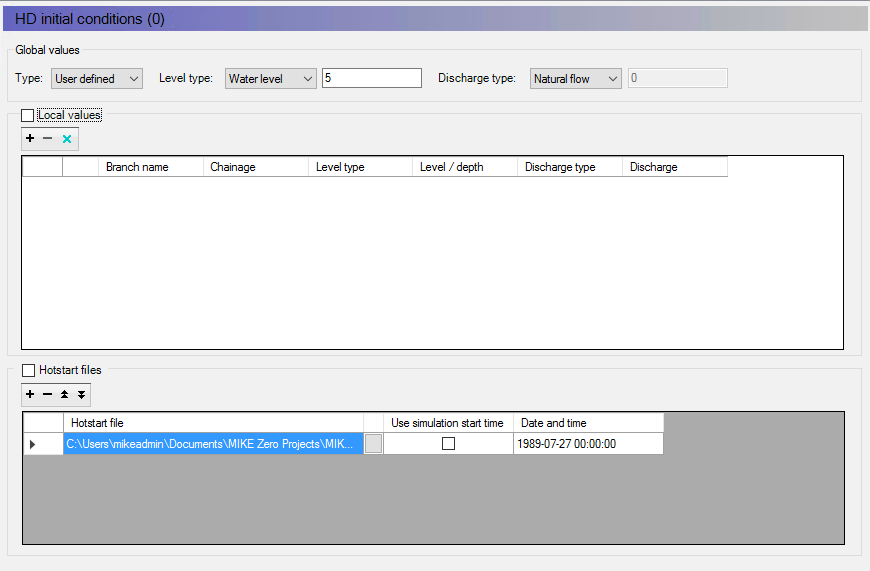
The initial conditions in the network should be set to correspond to the boundary conditions at start time of simulation. Go to the ‘HD Initial conditions’ in the Tree view and switch to Tabular view. Under the ‘Global values’ set the water level to 5 and the discharge to natural flow - this will apply to the entire network.
Figure 3.11 Define initial conditions
