All data in MIKE Zero (either given as a constant or in a DFS data file) is based on an EUM Item Type (a string describing the item) and a related EUM Unit Type (a string specifying the corresponding unit).
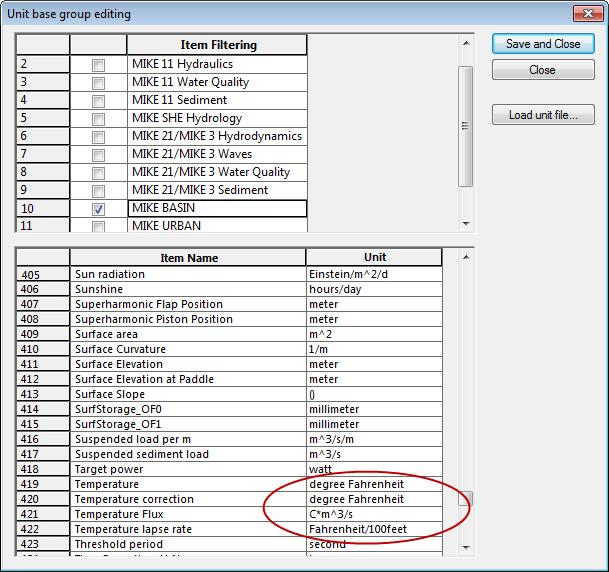
The MIKE Zero models are per default setup to work with a selection of SI units, however it is possible to customize the MIKE Zero work environment to a local unit system by selecting another EUM Unit Type for the given EUM Item Type using the MIKE Zero option 'Edit Unit Base Groups’, see Figure 4.4. In addition, an entire set of units (e.g. US Imperial units) can be loaded by using the “Load unit file...” button.
Figure 4.4 Modified temperature units displayed in the Edit Unit Base Groups dialog

PLEASE NOTE:
Some item types have a mutual dependency in the way the MIKE software applies them. To be sure that the software can perform correct and meaningful processing it is a requirement that the following item types are specified with identical user units:
· Bathymetry, Water depth, Water level, Surface elevation
· u-velocity component, v-velocity component, w-velocity component
Though a large part of modeling systems in MIKE Zero support multiple unit systems, not all models are supported. For an up-to-date list, please refer to FAQ below "Support" at http://www.mikepoweredbydhi.com - search for the entry: "Which modeling systems support EUM Unit Management"
